About this time last year in the depths of a British winter I decided it was time to go Zwifting. However before you can run Zwift you first need a smart trainer so the research started. I very quickly decided that I was not going to spring for an expensive direct drive trainer, I felt the money would be better spent elsewhere, so it was the current crop of wheel on trainers that was my focus.
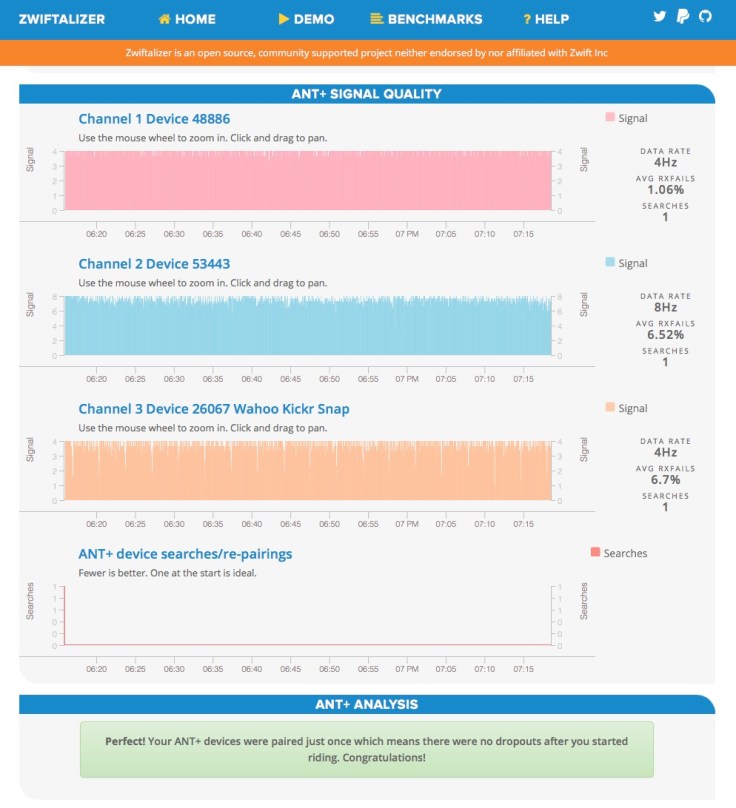
After a while I decided that the Wahoo Kicker snap was the best of the bunch. It is a robust unit, easy to set up and good features and ride quality. Just over a year later I still stand by that decision, but you need to be aware that I am on trainer number 4, the other 3 having been returned faulty. If you want to know how I got here, then read on.
Trainer No 1 was a first generation Wahoo Kicker Snap and all seemed fine initially. I was running it connected to my MAC via a Garmin ANT+ dongle that also connected to my Garmin heart rate strap and cadence sensor. I did notice some issues with the signal dropping out to the MAC but initially it wasn’t a major issue. However as I got more accustomed to the trainer and Zwift and pushed my workouts harder the signal dropouts became more of an issue. Clearly something wasn’t quite right . . .
Thinking that the issue might be the distance between the ANT+ chip and my sensors I bought a 3m USB extension cable so the ANT+ chip could be right next to the trainer, but still I suffered drop outs.
About this time I also started to notice that if I just controlled the trainer with my iPhone as I sometimes did to do a Spindown Calibration, there did not seem to be any issues with the signal. So this made me think that the Kicker Snap was fine and hence the problem was with Zwift.
So I contacted customer support at Zwift. I was having other issues with Zwift at the time and was in email correspondence with their technical support team so I thought I’d ask them.
We went though the usual diagnostic questions; are there any other strong ANT+ transmitters near by? Are you sitting on your microwave oven? Do you live next to a military radar base?
Eventually they put me on to a very useful web site called ZWIFTALIZER. If you have any Zwift issues you need this. It can analyse your Zwift LOG files and crucial provides data on the various ANT+ signals your computer is getting. I saw some interesting Data;
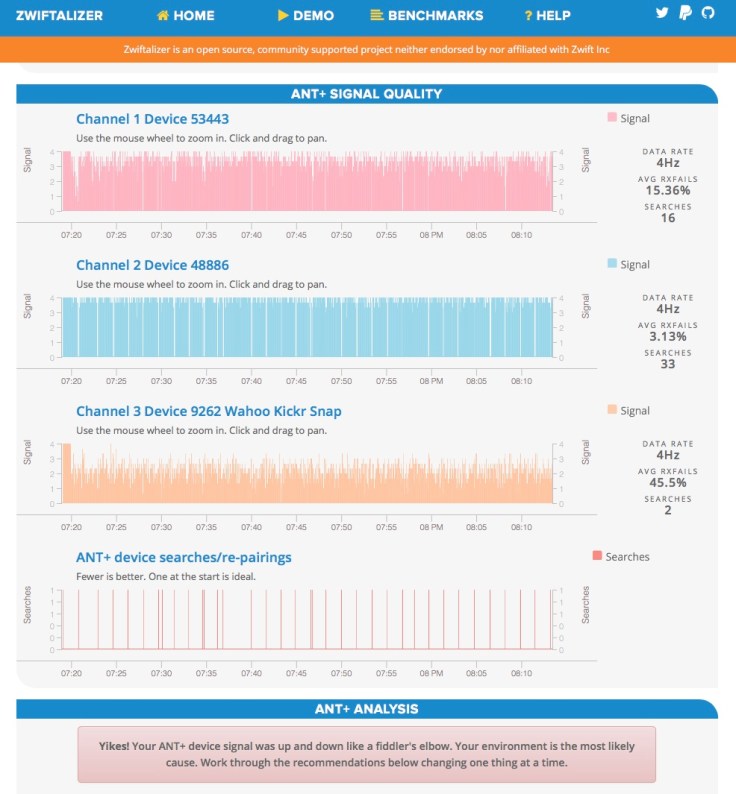
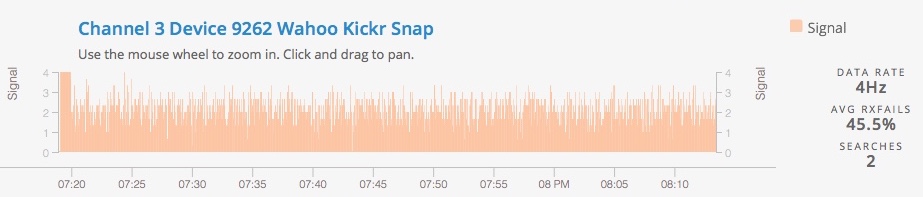
The data connection was quite terrible with lots of drop outs from all of the sensors and the signal from the Kicker was especially poor, the data connection was failing about 50% of the time. The data connection from the cadence sensor and heart rate strap whilst still not perfect was much better. I thought this rather strange, how could the signals from small battery powered devices be better than that from the mains electricity powered kicker?
It now made me suspicions that there was a problem with the Ant+ signal from the Kicker (remember the blue tooth signal seemed just fine)
So I passed the data and details of my set up to Wahoo customer support. They suggested that the 3m long USB extension cable might be too long and the problem might be signal loss in the cable. I had not considered that so I did some tests with a 2m cable and a 1m cable. Here are the numbers;
Heart Rate Strap vs USB Cable Length3m – Rx Fails 23%
2m – Rx Fails 5.6%1m – Rx Fails 1.2%Cadence Sensor vs USB Cable Length3m – Rx Fails 10.98%2m – Rx Fails 1.6%1m – Rx Fails 0.95%Wahoo Kicker vs USB Cable Length3m – Rx Fails 48%2m – Rx Fails 40.33%1m – Rx Fails 41%


Leave a Reply